Your Discord support, finally sorted, in every server you run.
Members press a button and land in a private ticket with the right team. You set it up by clicking, and every server you manage lives in one dashboard.
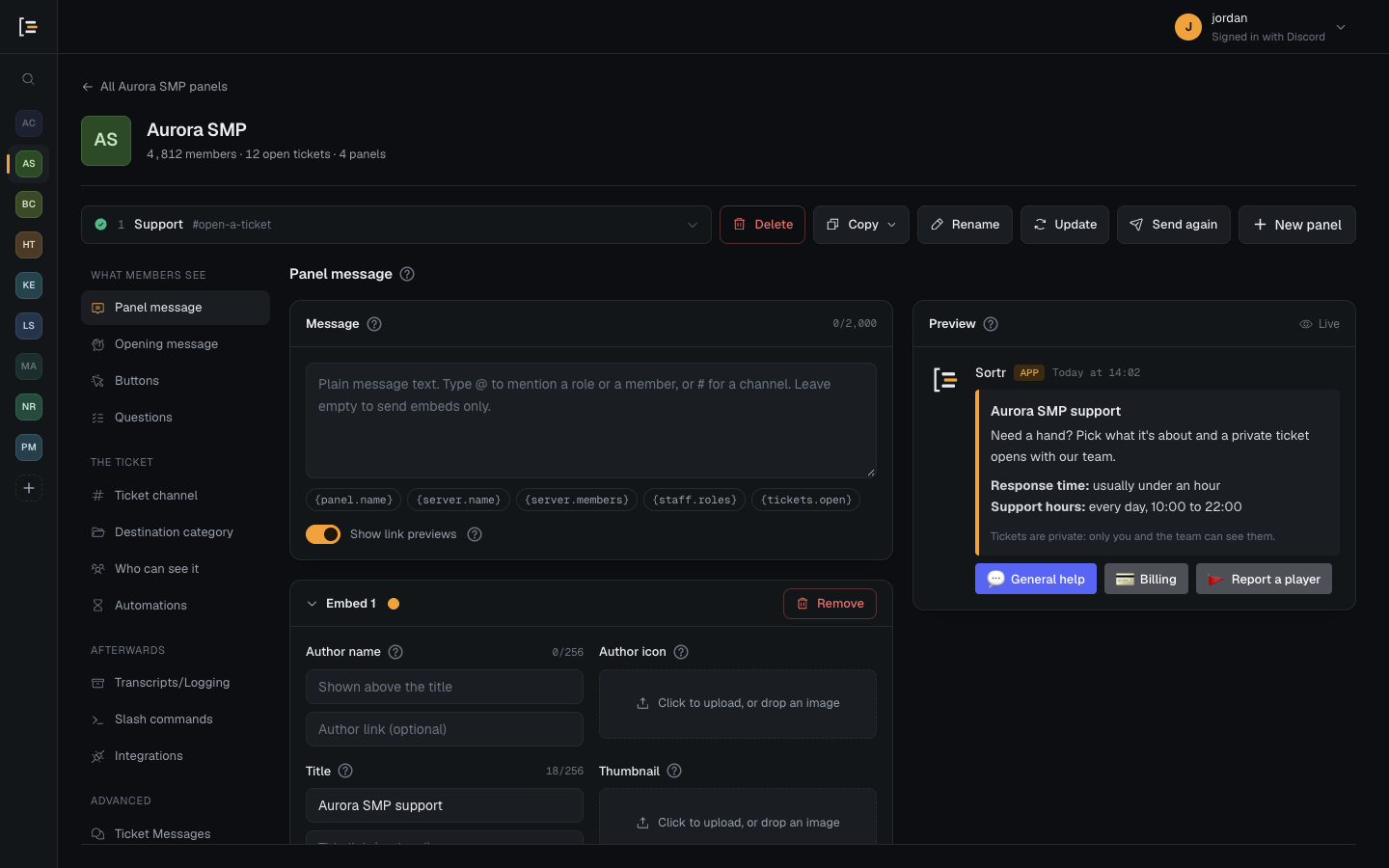
Members press a button and land in a private ticket with the right team. You set it up by clicking, and every server you manage lives in one dashboard.
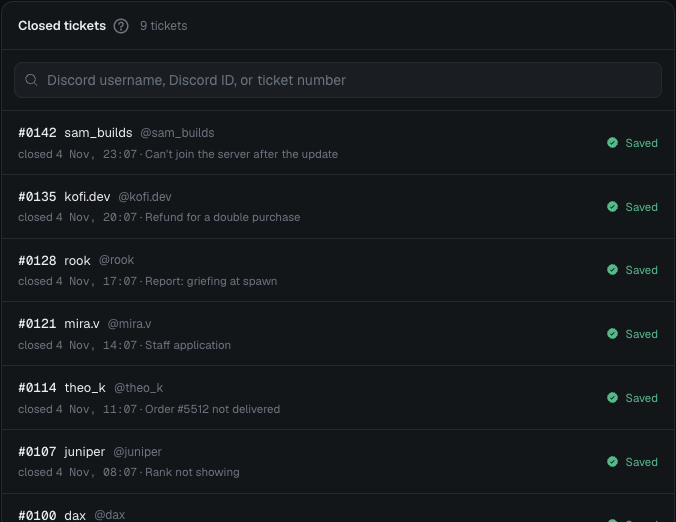
Sign in with Discord once and every server you manage is there. Set up a panel in one, copy it to the rest in a couple of clicks, and find any closed ticket from the same dashboard.
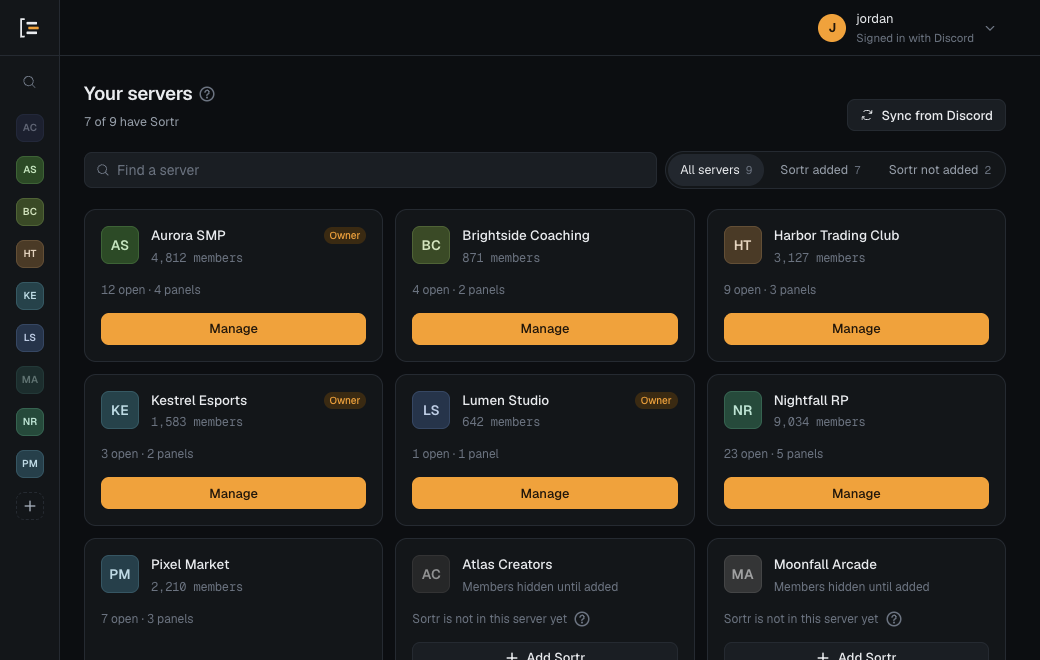
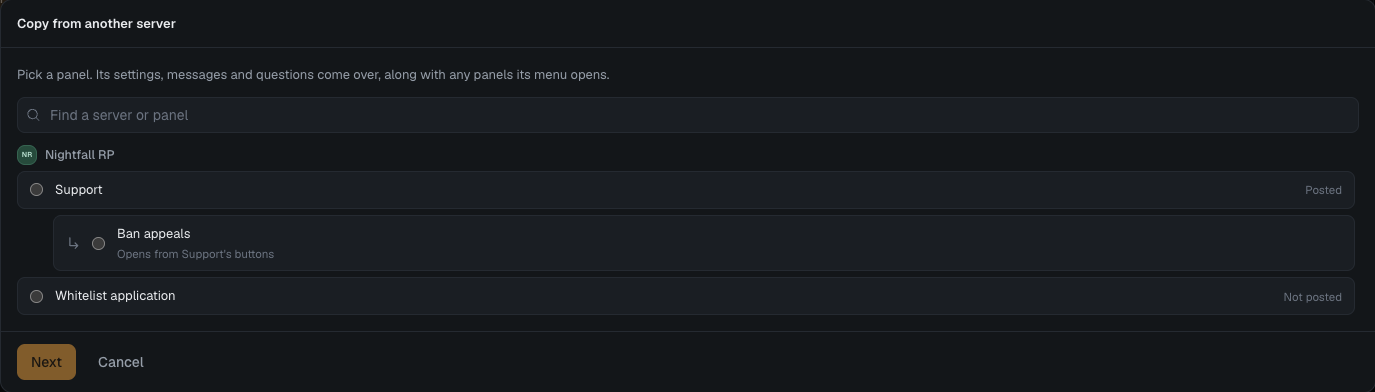
No account to create, nothing to install. Your Discord login is all it takes.
Sortr lists every server you manage. No new account and no password to remember.
One click from the dashboard opens Discord with that server already picked.
Write the message, choose the buttons, add questions and pick who handles the tickets. The preview shows exactly what members will see.
Post it to a channel. Members press a button, get a private ticket, and every closed ticket can keep its transcript.
Every part of a ticket's life, from the button a member presses to the transcript your staff keep.
Show ticket types as buttons or a dropdown, each with its own settings. A button can open a panel of its own, and the dashboard keeps those together under the post they belong to.
A Discord form pops up when a member presses the button, so the first message in the ticket already answers the questions your staff would ask.
When a ticket closes, Sortr can post its transcript to a staff channel, send it to the member, or keep it on Sortr, encrypted.
Pick which roles handle each ticket type, with full access, reply only, or read only.
Cap open tickets per member, block roles, and take tickets only when your team is around.
Nudge staff when a ticket goes quiet, and close it after a set time.
Every open, close, transcript and settings change, posted to a log channel.
Form answers straight into a sheet, one row per ticket.
Sortr's own picture and banner in each server you run.
Rewrite anything Sortr says, with the same live preview.
Open and close tickets, add people and save transcripts from chat.
No. They press a button on the panel in your server, answer any questions you ask, and land in a private channel with your staff. Nothing to install, no commands to learn.
Yes. Every server you manage shows up after one Discord sign-in. Set up a panel once and copy it to the others; roles and channels are matched by name, and copying again updates the copies.
When a ticket closes, Sortr can post a transcript to a staff channel, send it to the member, and keep a copy on sortr.xyz. Copies kept on Sortr are encrypted and deleted after the retention period you choose. The privacy policy has the details.
In the EU, with encrypted backups. Copies Sortr posts into Discord are kept by Discord, and the privacy policy lists the few services that may handle data elsewhere. Sortr loads no analytics or advertising scripts, and uses only the cookies it needs to work.
Write to team@sortr.xyz.
Sign in with Discord, add Sortr to your server, and send your first panel.